Available app
Finance OS
Your local system for understanding transactions, spending, and personal budgets.
Finance OS runs as a local app inside Forger. Upload your movements, review categories, understand where your money goes, and build budgets by period with help from a contextual AI layer.
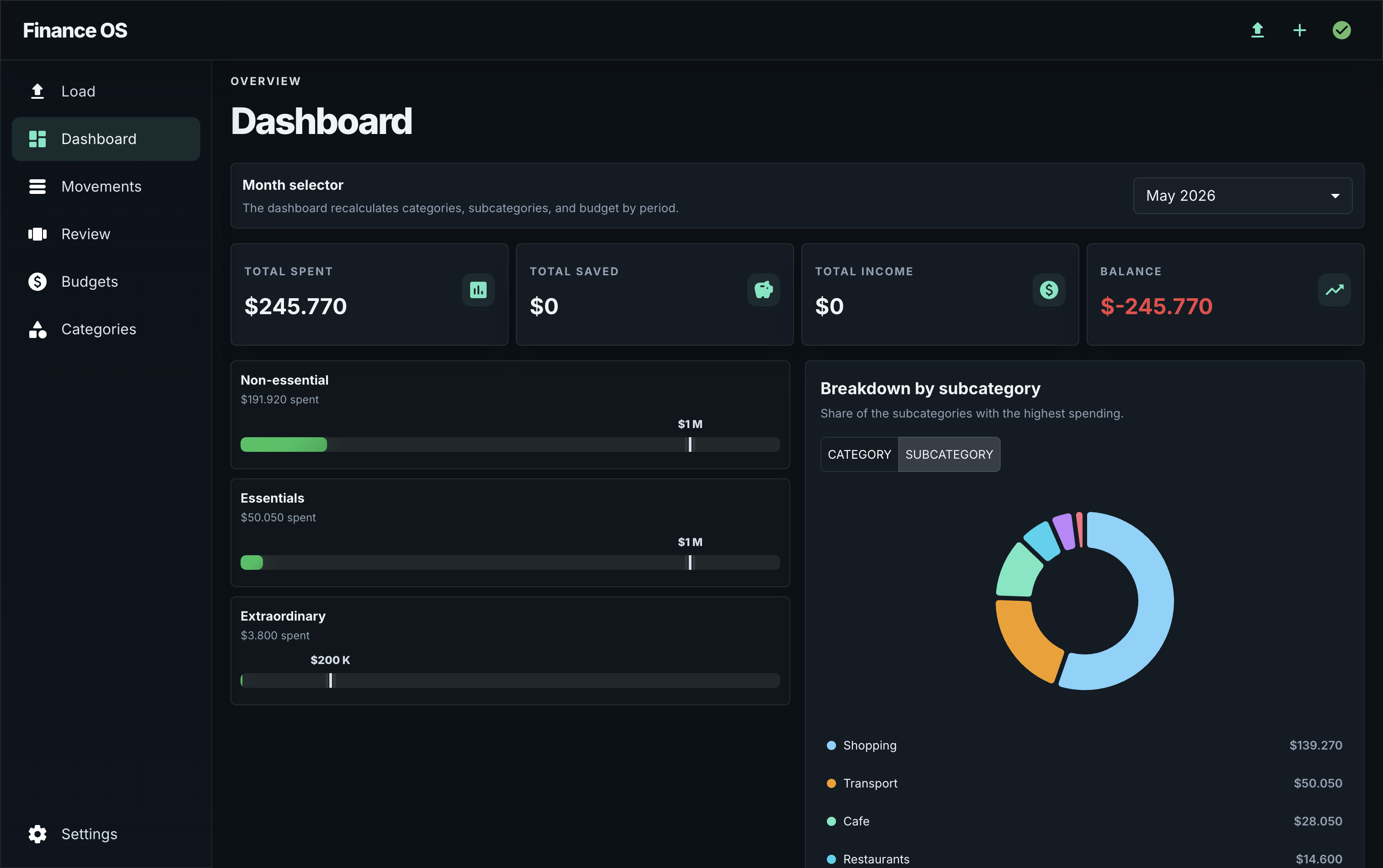

A guided trip through your finances
Start with a structure that matches how you think, let the app help with the first pass, and keep final control over every movement and budget.
01
Create your categories
Begin with a Simple or Organized setup, then adjust the structure to match your own way of tracking money.
02
Load movements
Upload files or add a movement manually. The AI reads what it can, suggests categories, and can help create missing ones.
03
Review the details
Confirm categories, fix dates, and recategorize anything that needs a human decision before it reaches the dashboard.
04
Set budgets
See spending by category and ask the assistant for a starting budget recommendation based on your real movements.
05
Adapt the app
If you want a different workflow, talk to the chat. You can restructure categories or request concrete UI changes conversationally.
Built for personal control
Upload, review, and understand your financial data without handing it to another cloud dashboard.
Smart categories
Use AI assistance to review and improve transaction categories without treating automation as perfect.
Budgets by period
Follow monthly or custom-period budgets and compare them against actual spending.
Adaptable dashboard
Ask Forger for concrete local changes, like adding an income vs. expenses chart.
Financial data stays local
Finance OS is installed in your private Forger workspace. It works with the files and data you choose to bring into the app.
Finance OS
Install Finance OS with Forger
Start with Forger Desktop, then install Finance OS as one of the first open-source apps in the ecosystem.